 UNIQ
HR that works where your people work.
Head office, branches and project sites. UNIQ HRMS keeps every employee record, leave day, clock-in, claim, payslip and company laptop in one place — with payroll rules for Malaysia, Singapore, Indonesia and India built in.
14 days free. Pay only for the modules you switch on.
A Tuesday at a 40-person engineering firm
What HR sees in UNIQ, as it happens.
- Rajesh clocks in at the TRX Tower siteInside the 150 m site boundary, from his phone.
Attendance - Hafizah’s annual leave is approvedHer manager tapped Approve on the notification.
Leave - Fuel receipt scanned — RM 86.40Merchant, date and amount read from the photo.
Claims - Memo No 4 waits for the MD’s signatureThen it goes to all site staff to acknowledge.
Memos - Laptop issued to a new joinerSigned for on the issue form, on her phone.
Inventory - November payroll is ready to approveEPF, SOCSO, EIS and PCB worked out; unpaid leave and claims pulled in.
Payroll
Pick the parts you need
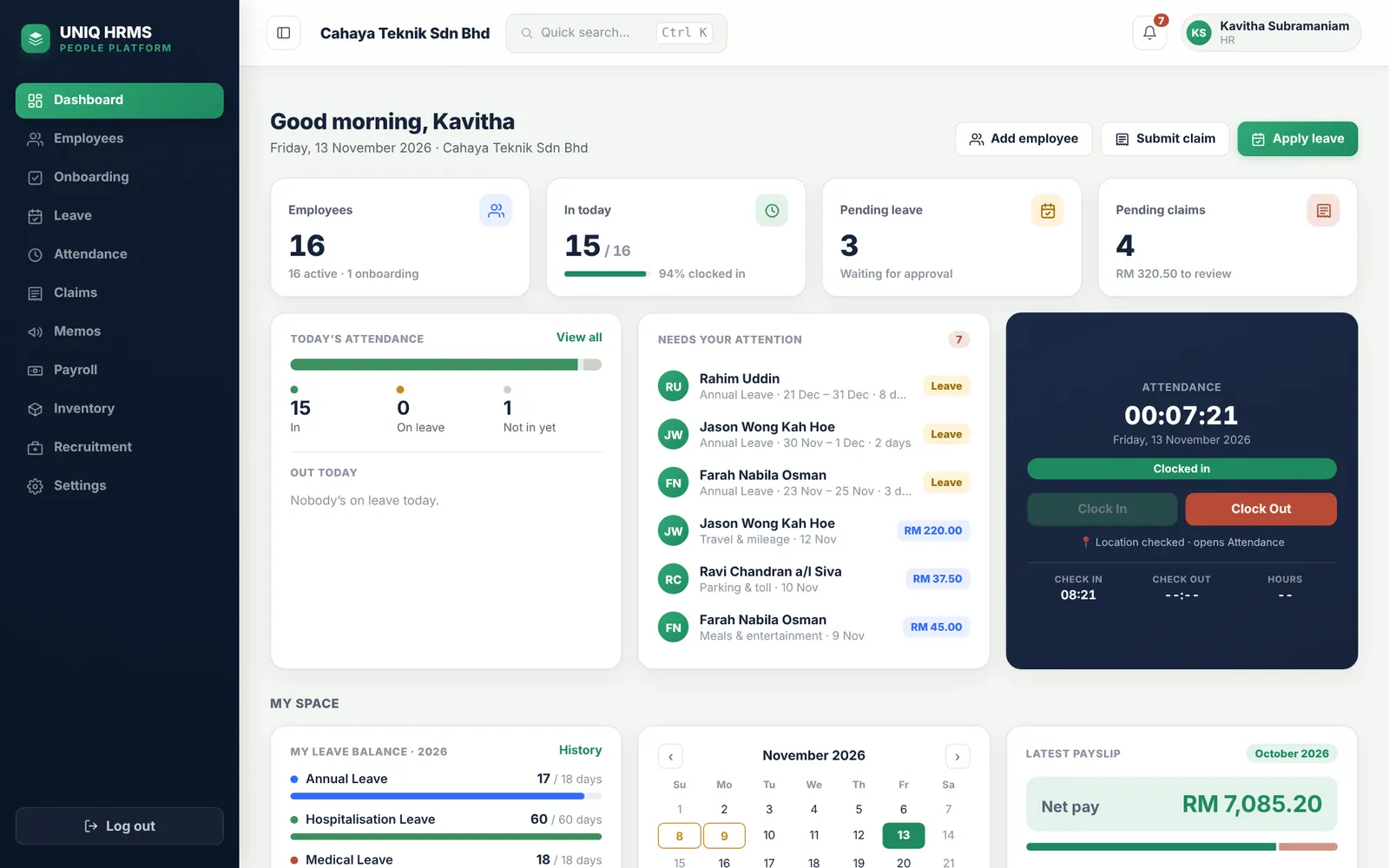
Every company starts with Employees. Add the modules that match how you work — leave only, or leave, attendance and payroll, or everything. Each module is priced per employee, so a ten-person team pays for ten people.
Modules can be added later; switching one off keeps its data.
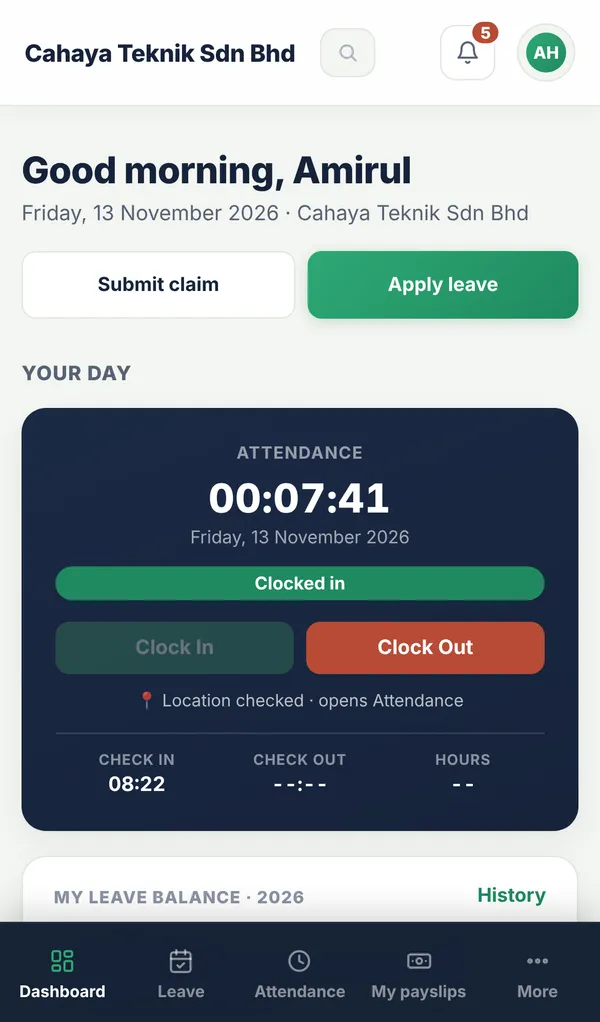
Clock in at the right place — office, branch or site.
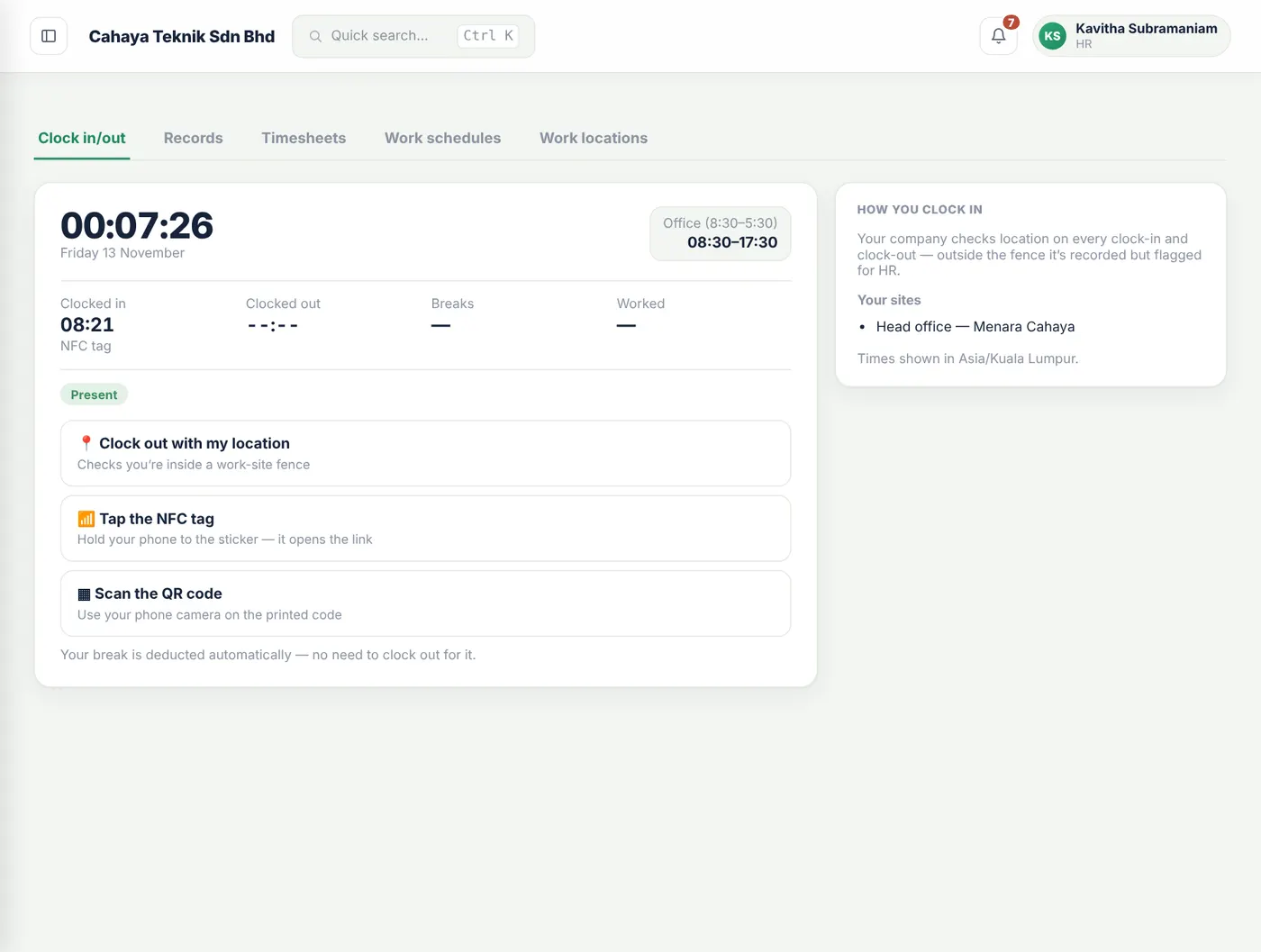
Each work location has its own boundary on the map. Staff clock in from their phone; UNIQ checks they’re inside it, or they tap the NFC tag on the wall.
- Several work locations per employee
- GPS boundary per site, NFC tags and QR codes
- Lateness and overtime flow into payroll
Claims without the shoebox of receipts.
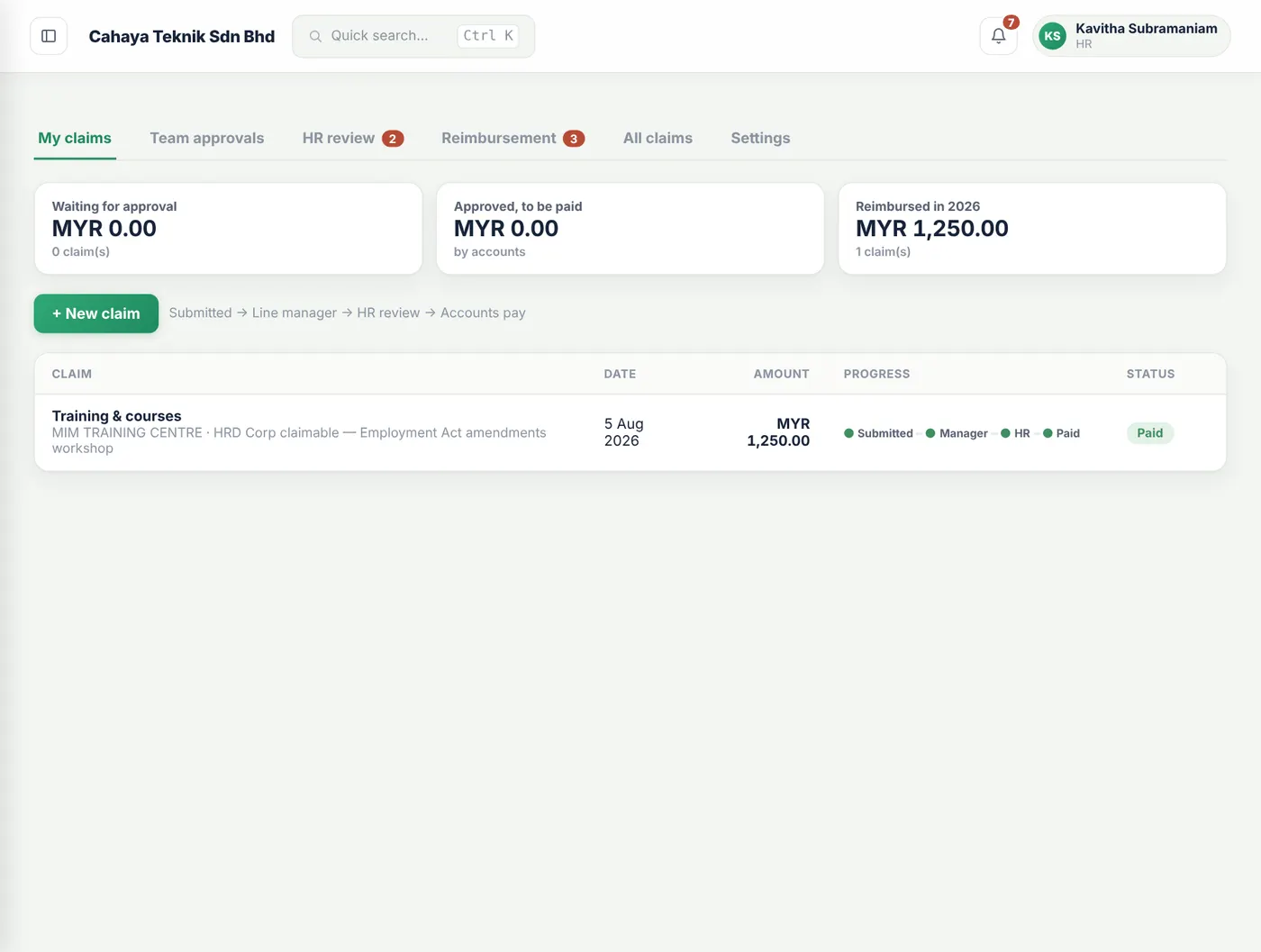
Staff photograph the receipt; UNIQ reads the merchant, date and amount and keeps a small copy. The manager approves, HR reviews, and accounts get an export that matches your chart of accounts.
- Several receipts per claim
- Manager → HR → accounts, each step notified
- Categories mapped to your GL accounts
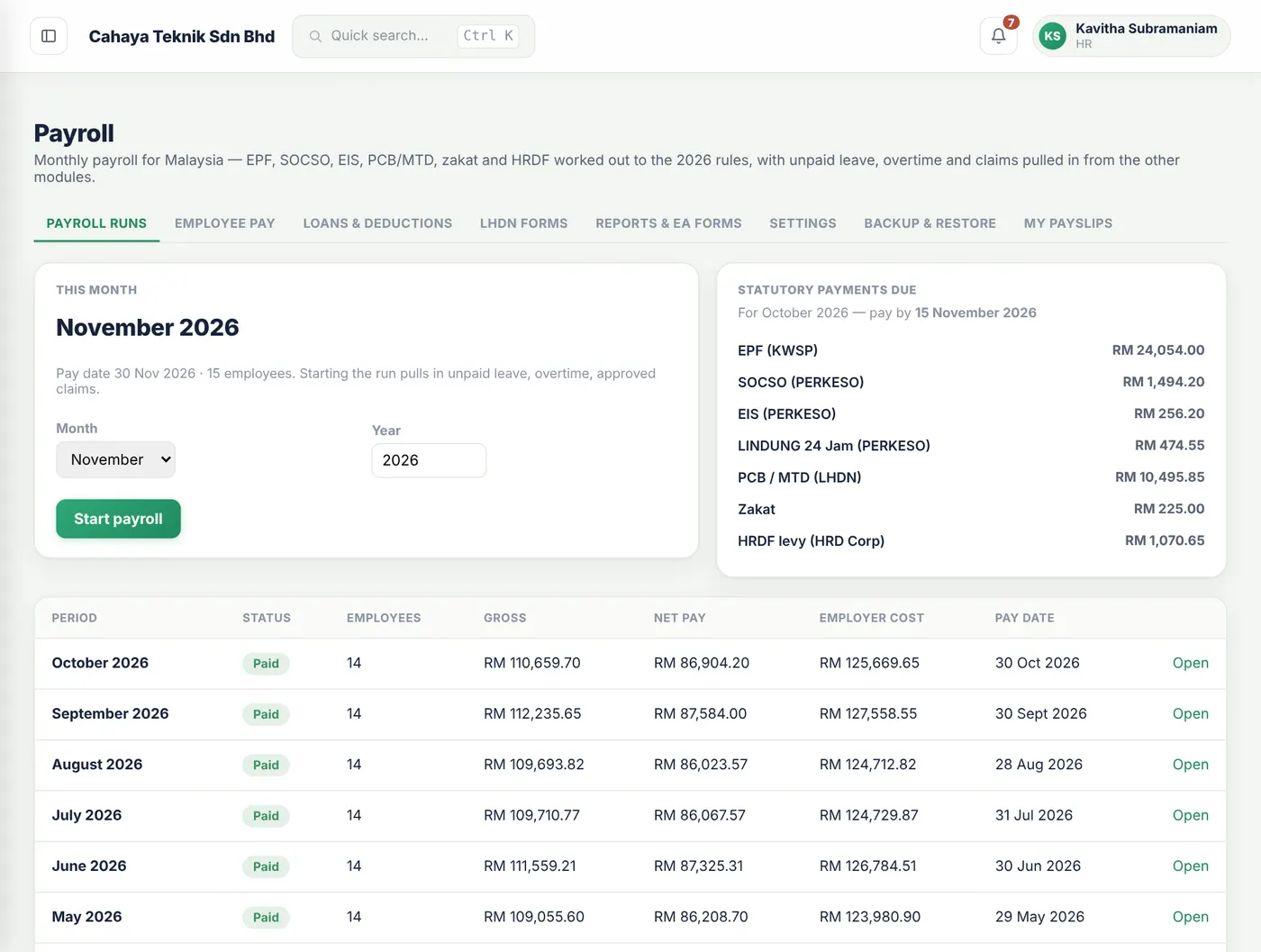
Payroll that knows Malaysian rules.
EPF, SOCSO, EIS, PCB, zakat and HRDF are worked out each month. Unpaid leave, overtime and approved claims come in on their own. Payslips print on your company letterhead.
- EA forms, bank files and statutory files
- Staff loans, advances and salary increments
- Approval before anything is paid
How a memo goes out
Meeting notices, rule changes and policy updates — approved by management, read by every member of staff, with proof. Part of Employees Advanced and Pro.
HR writes it
Subject, the memo itself, attachments, and who it’s for — everyone, some departments or some sites.
Management signs
Each approver signs on screen, in order, or sends it back with a note.
Staff are told
The memo is numbered and sent by notification and email the moment the last signature is in.
Everyone acknowledges
HR sees who has read and acknowledged it, reminds the rest and prints the register.
Staff use it on their phones
Apply for leave, clock in, scan a receipt, sign for a laptop and read their payslip. UNIQ installs from the browser like an app and sends a notification when something needs them — no app store needed.
Works on Android and iPhone, and on any computer.
See it with your own team
Start a 14-day free trial — pick the modules you need, add a few people and try it on your phone.